See a sample archive
This is what a church office gets back from us, shown on a made-up church: twenty years of Grace Street Church bulletins, newsletters and flyers, sorted, searchable, and ready to hand to the next secretary.
Grace Street Church is made up. We wrote every file ourselves: the names, the address, the (555) phone number and the prayer lists are invented, and the hymn titles are in the public domain.
We built the archive with the same tool we use on real jobs. One difference: our made-up files started as PDFs standing in for .pub files, so the step where we turn each Publisher file into a PDF isn't shown here. On a real job, that step comes first.
Search it yourself
This is the real search page from the Grace Street archive. Try Easter 2019, a hymn such as It Is Well, or the pastor's name, Okafor. Each result opens the PDF.
In a real archive this page is a single file, index.html, in the top folder. It opens in any web browser and works without the internet, from a shared drive or a USB stick.
What's in the folder
Grace Street sent 50 files from 8 messy folders. They got back 42 PDFs in one tidy folder, plus three files that explain it.
- Bulletins21 files
- 2006
- …
- 2019
- …
- 2025
- Newsletters8 files
- Flyers7 files
- Programs4 files
- Other2 files
The Grace Street folder, with the 2019 bulletins opened. Every file and link here is the real thing: click one to open it.
- Folders by type, then yearBulletins, newsletters, flyers, programs and other, one folder per year inside each. Every file is named by its date, so they sort in order.
- A search page for every wordOne file that opens in any browser, even offline. Type a name, a hymn or a year.
- A "where everything is" guideOne printed page: what's in each folder, how files are named, and how to find something in ten seconds.
- A duplicates reportEvery copy we left out and the file we kept instead.
- With Complete: your templates in CanvaYour weekly bulletin, newsletter and flyer rebuilt as Canva designs you can keep editing. The Grace Street sample doesn't include these; see step 4 below for how we move them.
The duplicates report
Church offices save the same bulletin more than once: "FINAL", "Copy of", a backup on the old computer. We keep one of each and list every file we left out, so nothing disappears without a record. Grace Street had 8.
| Left out (as you sent it) | Kept instead | Why |
|---|---|---|
| Old computer/Backup/Easter 2019 FINAL.pdf | Bulletins/2019/2019-04-21 Easter Sunday.pdf | Exact copy |
| Desktop/Copy of Easter 2019 FINAL.pdf | Bulletins/2019/2019-04-21 Easter Sunday.pdf | Exact copy |
| Desktop/Easter 2019 draft.pdf | Bulletins/2019/2019-04-21 Easter Sunday.pdf | Near copy, 93% the same text; kept the newer one |
| Flyers/strawberry supper old.pdf | Flyers/2011/2011-06-18 Strawberry Supper.pdf | Near copy, 86% the same text; kept the newer one |
| Old computer/Backup/VBS 2017.pdf | Flyers/2017/2017-07-10 Vacation Bible School.pdf | Exact copy |
| Desktop/Grace Notes April 2016 (2).pdf | Newsletters/2016/2016-04 April newsletter.pdf | Exact copy |
| Desktop/newsletter april.pdf | Newsletters/2019/2019-04 April newsletter.pdf | Near copy, 99% the same text; kept the newer one |
| Desktop/Ellis memorial - Copy.pdf | Programs/2016/2016-03-05 Celebration of Life for Margaret Ellis.pdf | Exact copy |
From a messy folder to an archive
The four things that happen between the zip file you send and the folder you get back.
-
The folder as it arrived
Fifty files spread over eight folders: the desktop, a backup from the old computer, a scanned page, and names like Publication1.pub and bulletin.pub that say nothing about what's inside.
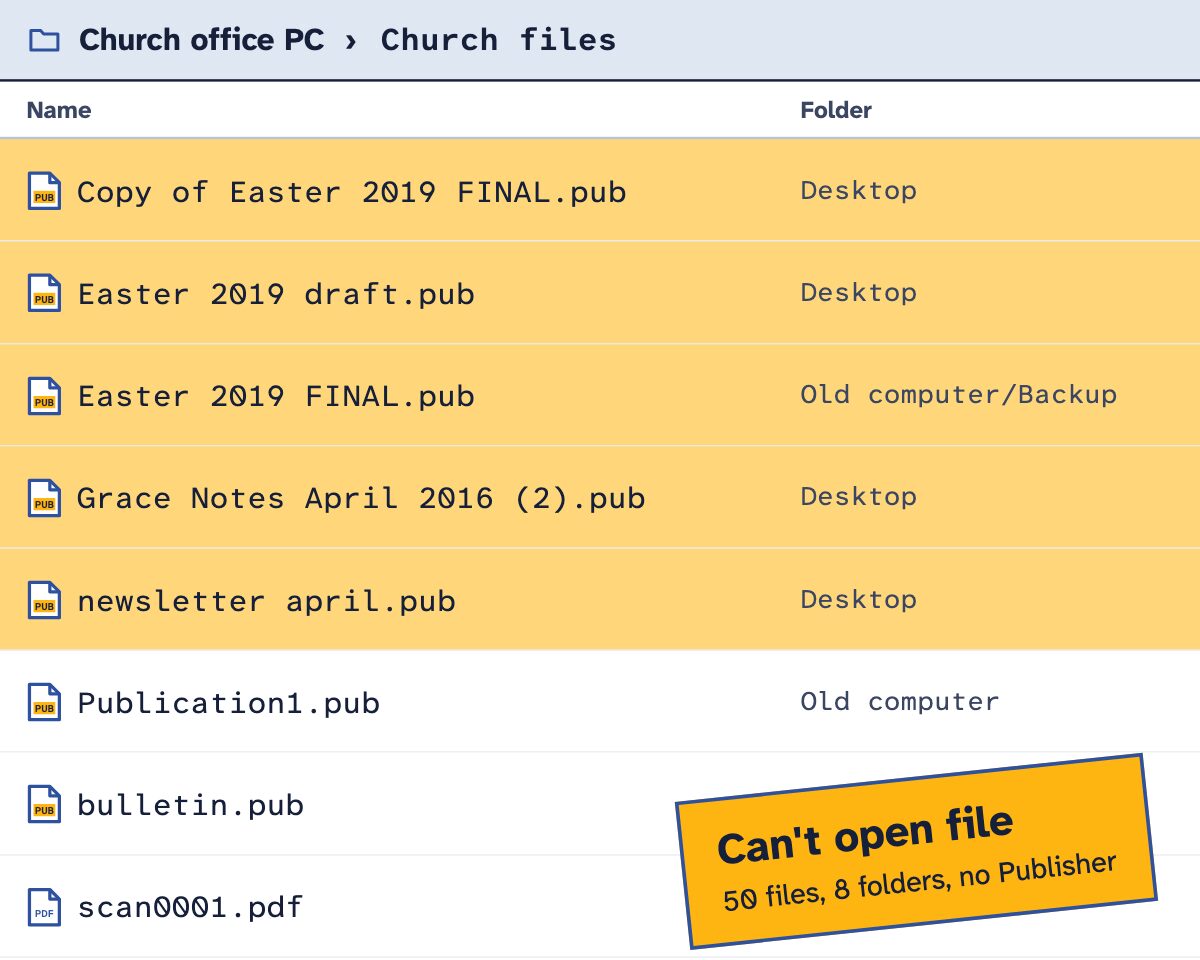
Drawn with the Grace Street file names, shown as the .pub files a real office sends. Yellow rows are copies of another file. -
Every file dated, named and sorted
We read each file for its date and what kind of document it is, then give it a plain name. Easter 2019 FINAL.pub becomes Bulletins/2019/2019-04-21 Easter Sunday.pdf.
The one-page guide on top tells anyone where everything is. Open the Grace Street guide.
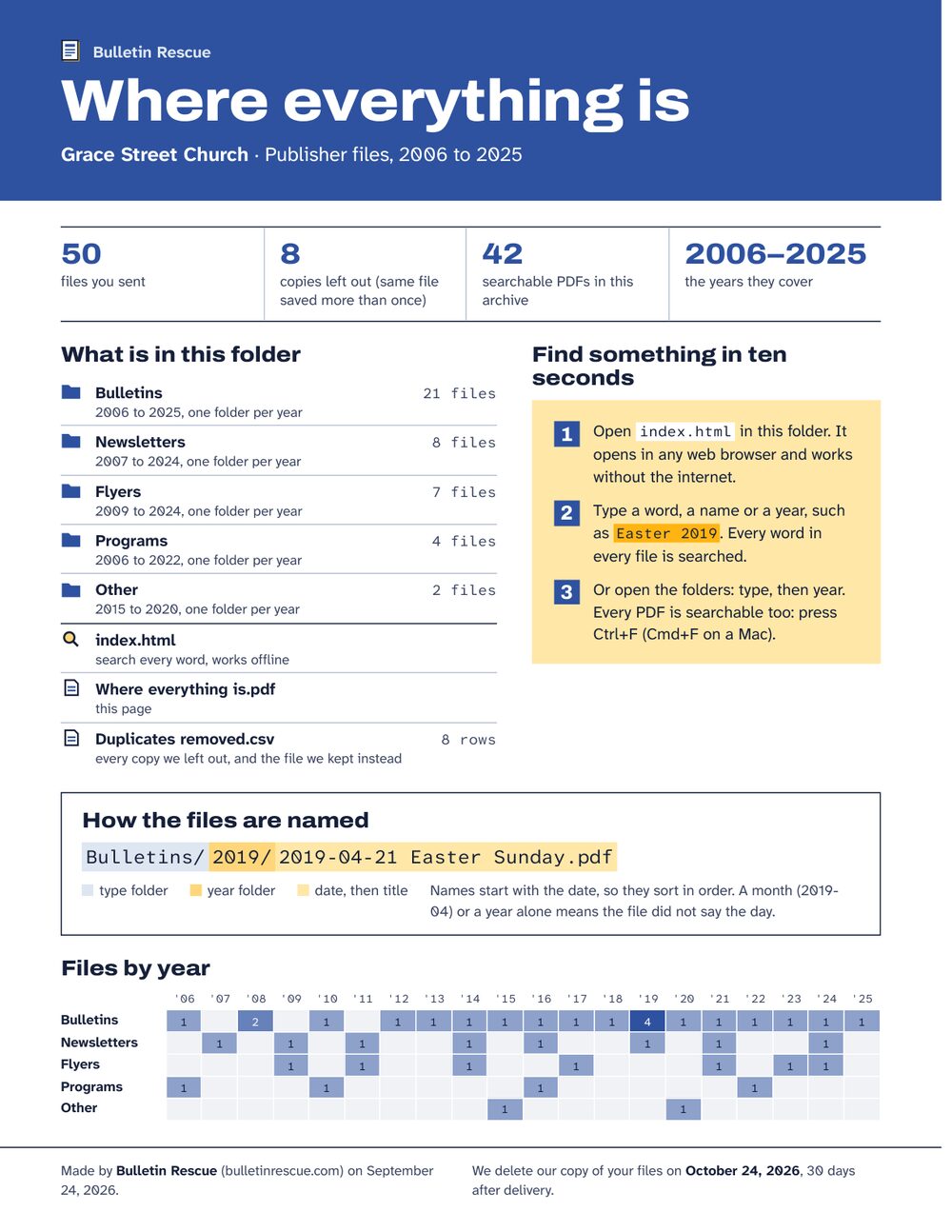
The whole guide fits on one page, so it can be printed and kept by the computer. -
Every word searchable
Type "Easter 2019" and the Easter Sunday bulletin comes up first, with the words highlighted. Pick a type or a year to narrow it down.
The scanned 2006 bulletin had no text at all, only a picture of the page. We ran text recognition on it, so it turns up in a search like everything else.
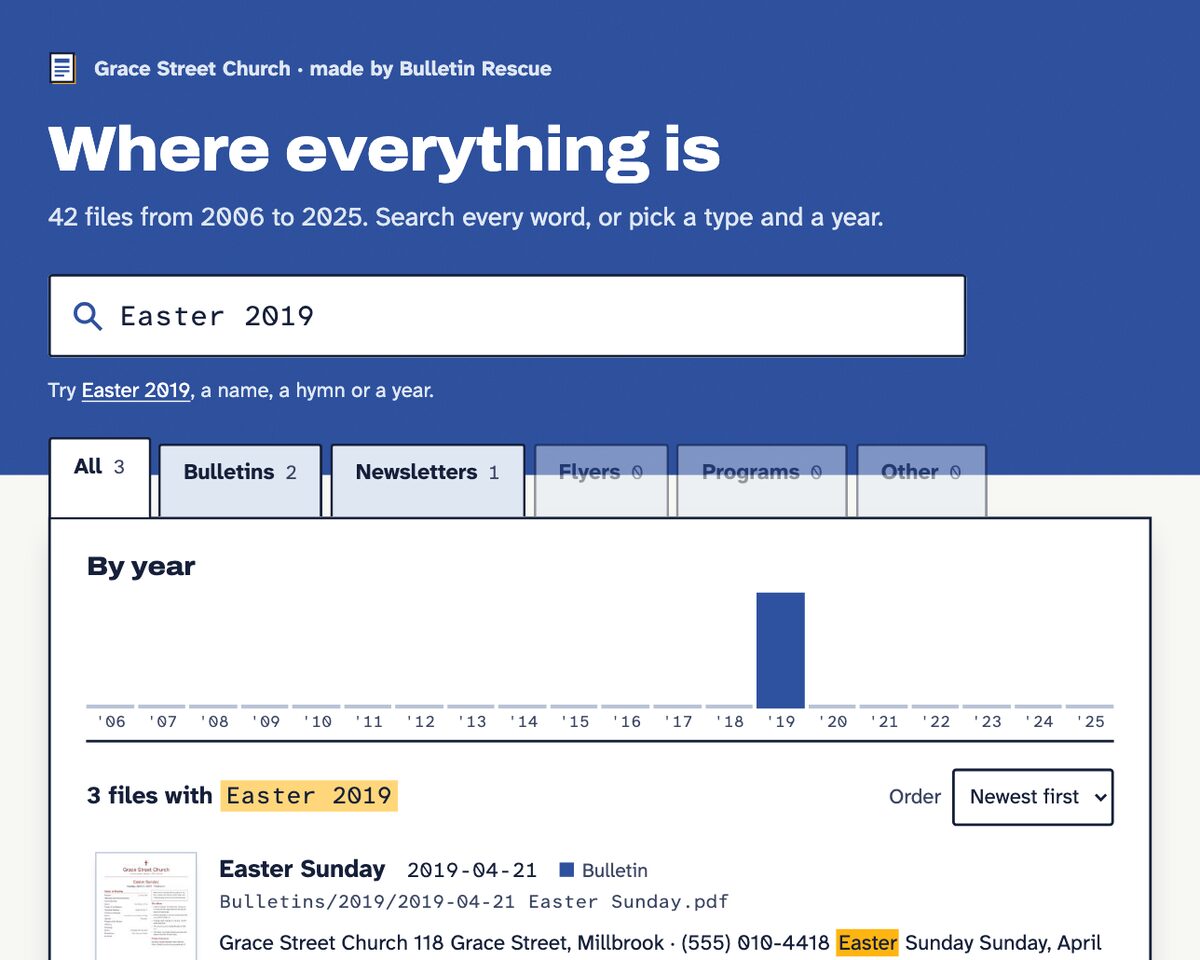
The same search page you can use at the top of this page. -
Templates you still use, moved to Canva
With Complete, we rebuild your weekly bulletin, newsletter and flyer as Canva designs you can edit.
Old Publisher clip art is the usual snag: Canva can't read it and shows a blank landscape instead. We convert the clip art first, so the picture comes through.
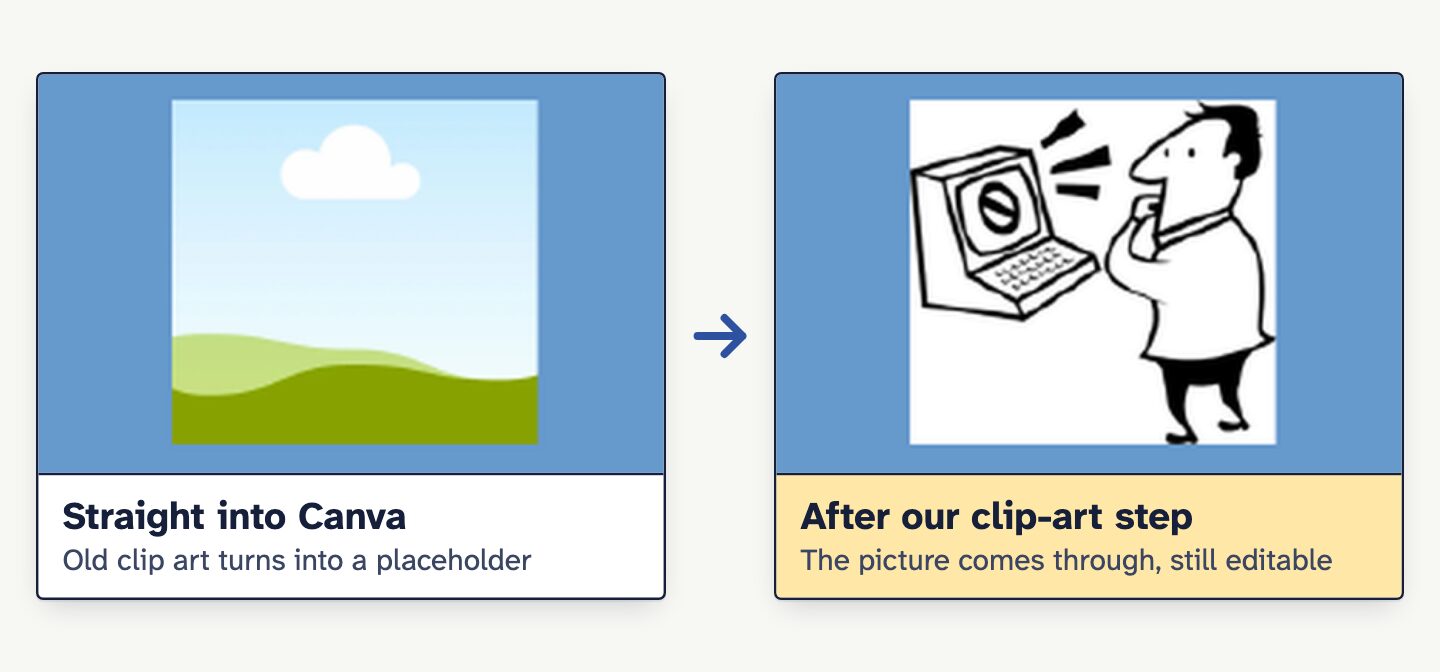
From our Canva import test on a public sample file (a small-business brochure attached to freedesktop.org bug 61579), not a church file.


